
The challenges
1. Understand the citizenship team’s current processes and pain points.
2. Design and help implement a new processing system using the Microsoft D365 platform that supports both online and paper application processes.
3. Bring DIA staff along on the journey to ensure buy-in of the changes to the ways of working and to achieve the best outcome for all users.
4. Help to deliver the first online citizenship process in the world.
My role in this piece of work was to lead the UX design and research of staff facing systems on DIA’s transformation program. To meet the challenges of this I worked alongside the program’s teams in service design, business readiness, policy and process, architecture, and development.
The process
The process we use in the programme follows the same logical steps that builds a good experience; understand, research, analyse, design, launch, then analyse again.
Understand
Working with the service design team we gained insights from in-person observation, and interviewed people working within the citizenship processing space.
And as this is not the first time DIA had hoped to address some of the issues in this space, there was a lot of previous user research to gain perspective from.
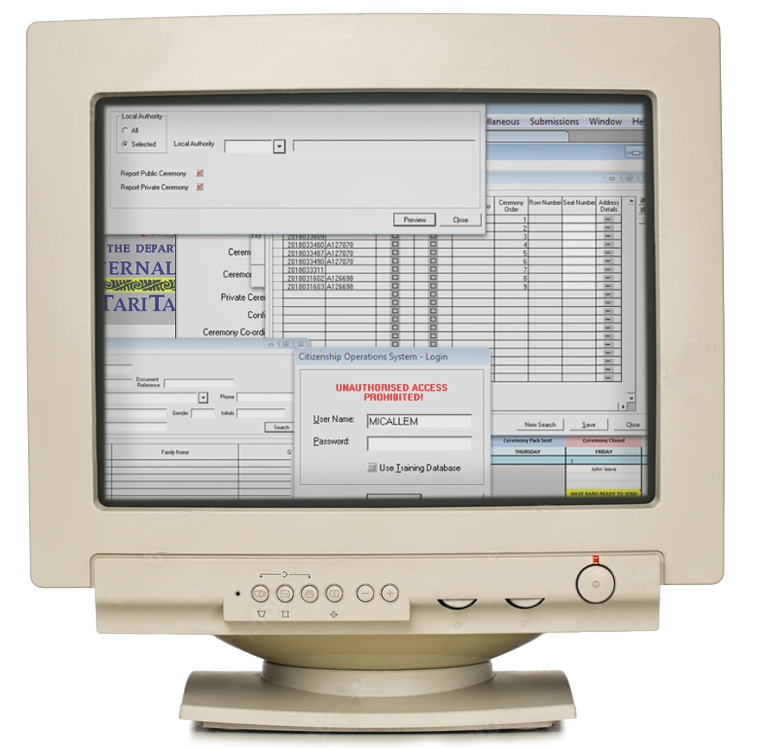
This activity allowed us to gain a deeper understanding of the issues they faced working in an old system that heavily relies on a paper-based process.
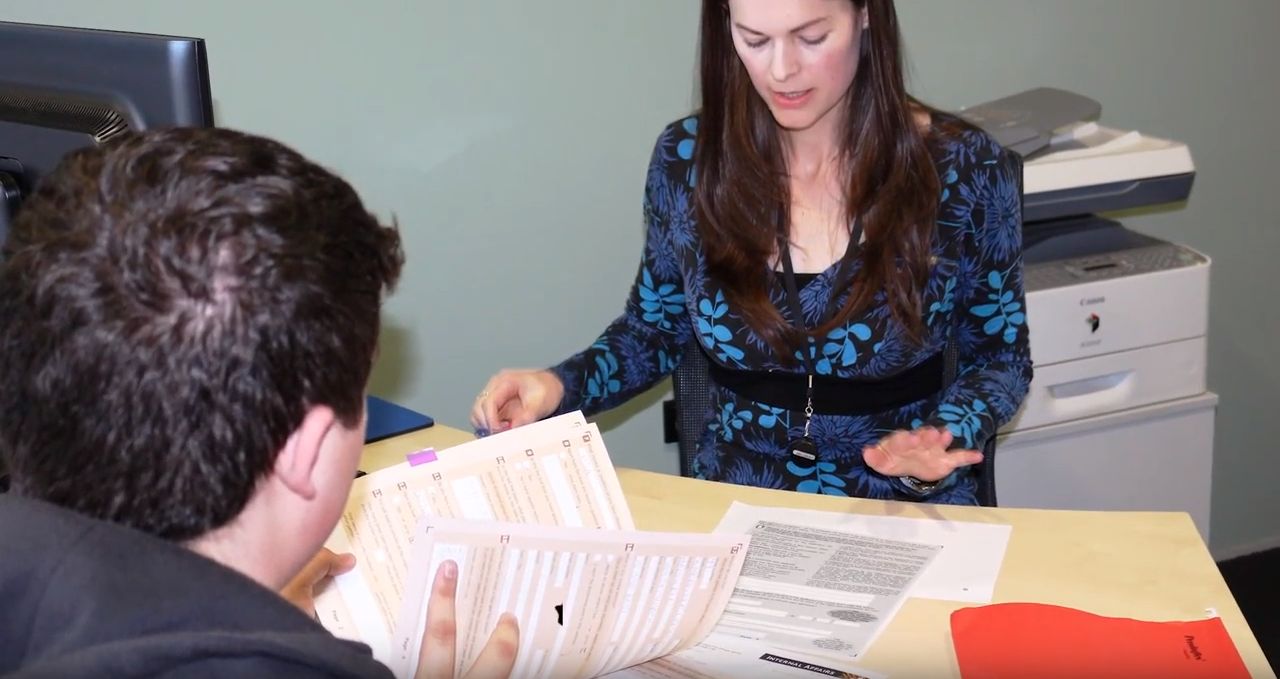
In-person observation of how case managers worked was key.
Research
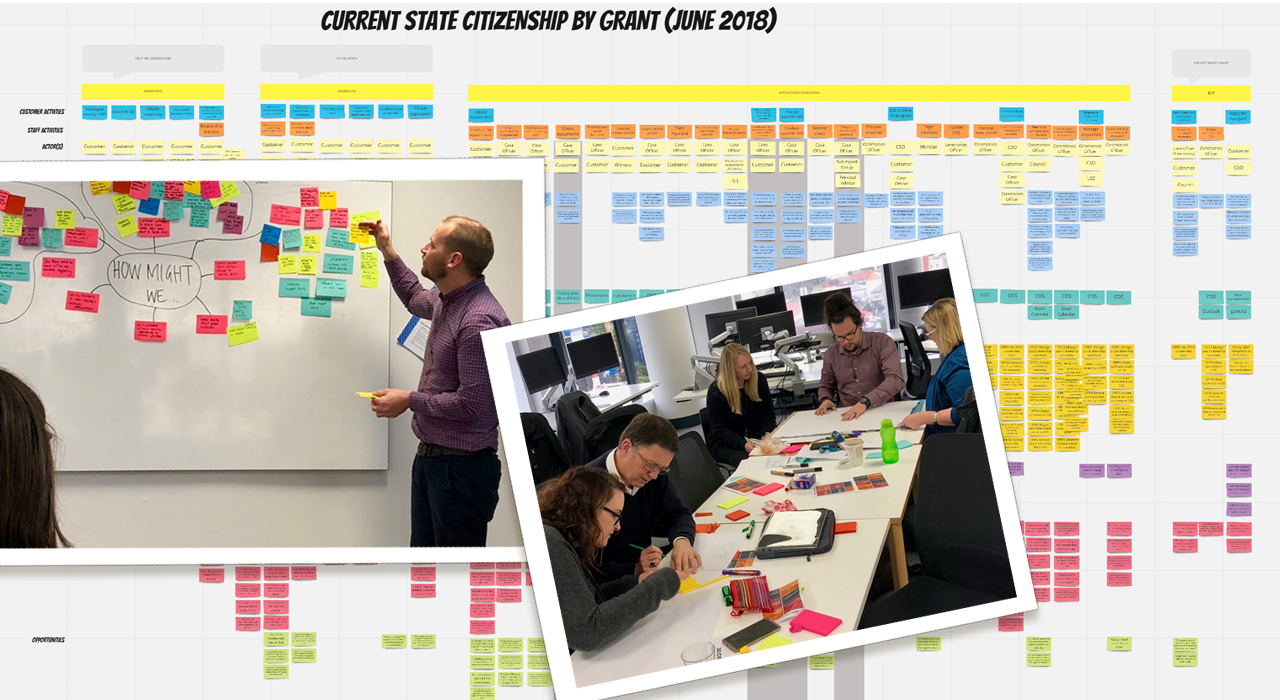
To investigate the current process, pain points and opportunities we…
- Ran workshops.
- Talked to subject matter experts.
- Then created a blueprint.
- Talked to subject matter experts.
- Then created a blueprint.
Creating a blueprint of the current process was an invaluable step.
It helped us as a design team to pinpoint issues that weren’t immediately obvious in the process and gained insight into how the staff saw it potentially working, and
Presenting it to the programme stakeholders helped them understand what areas to prioritise in the development roadmap.
Analyse
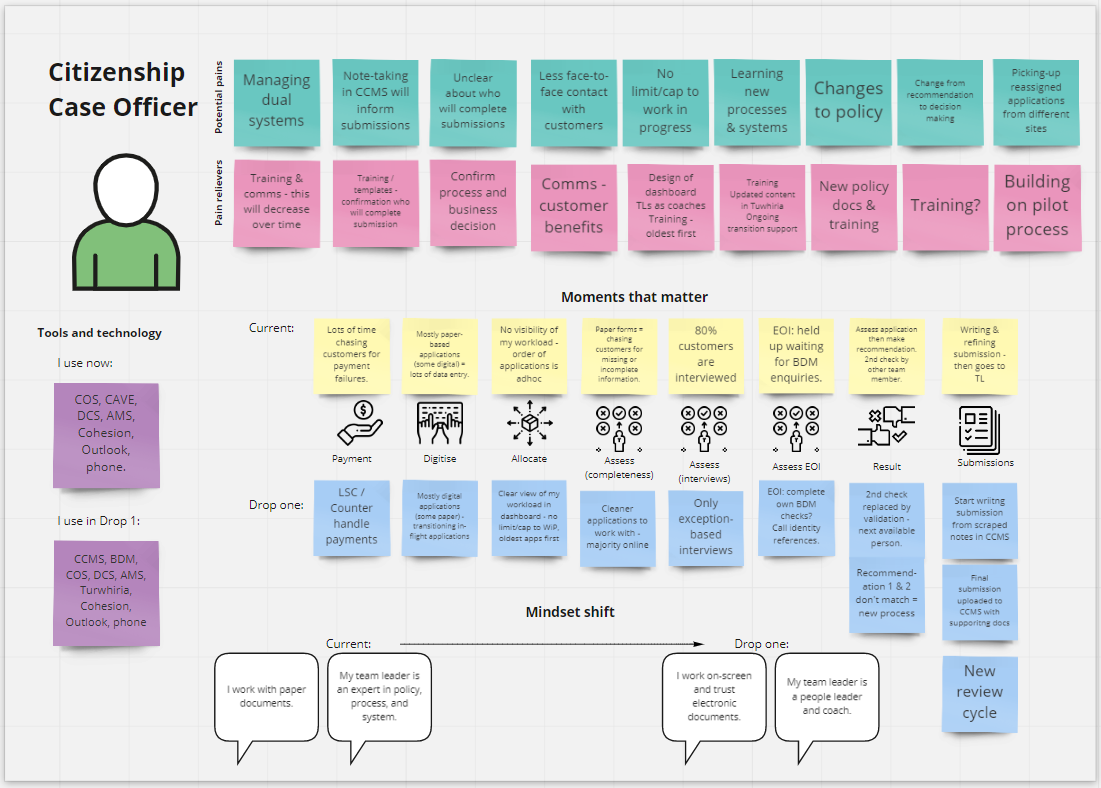
Through staff engagement we…
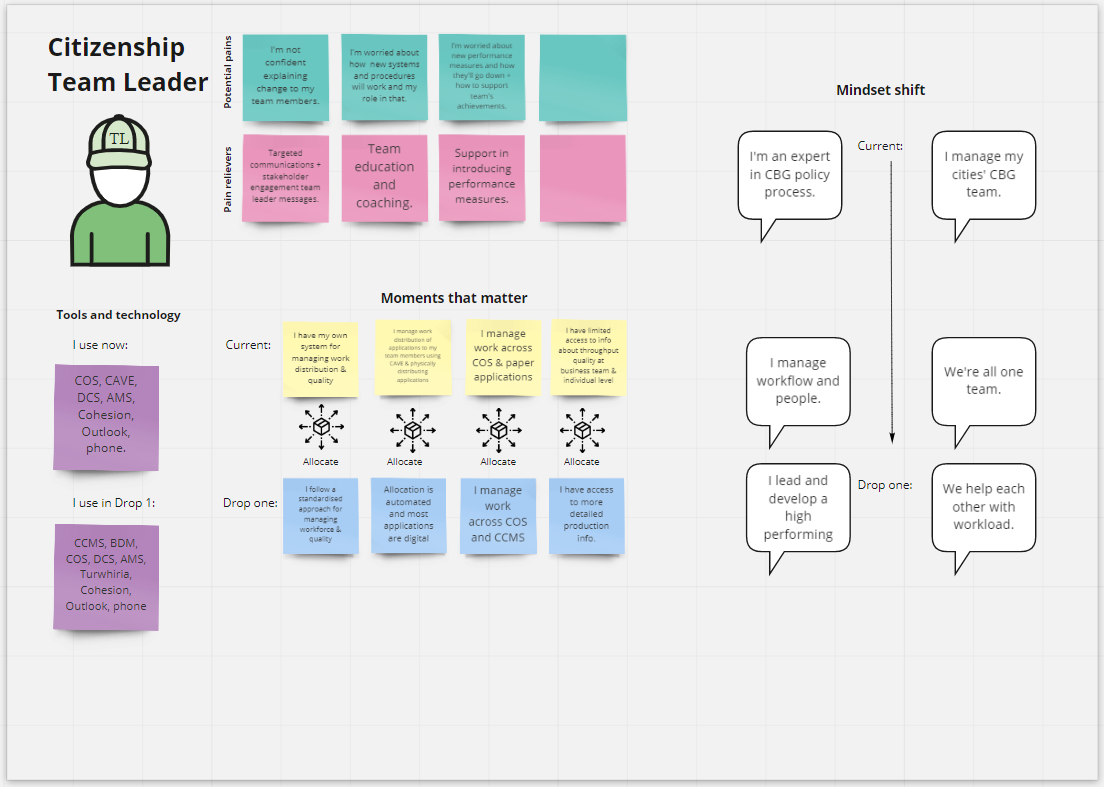
- Documented the moments that matter for staff, and
- created role personas and mindsets.
- created role personas and mindsets.
This drastically influenced my design decisions and helped the program understand the staff needs and to inform the change management required.
Design phase 1
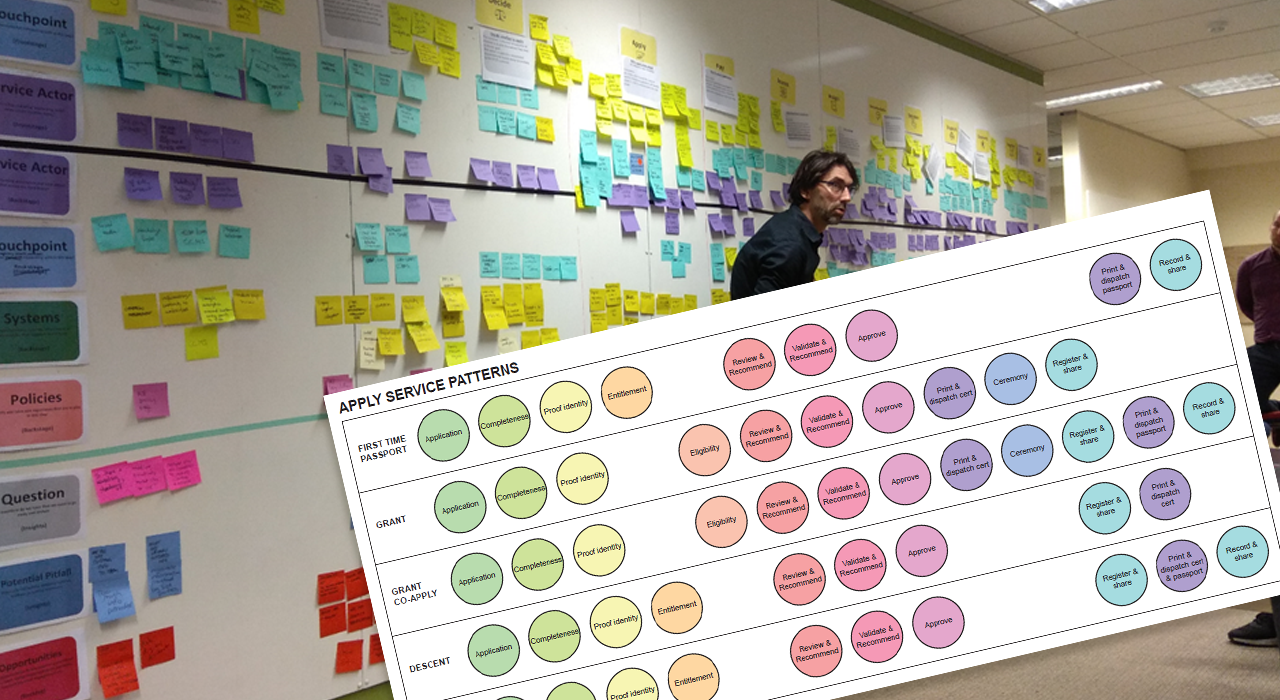
Through large scale workshops new high-level processes were formed, and service patterns for applying decided on.
This was a programme wide effort with input from all disciplines.
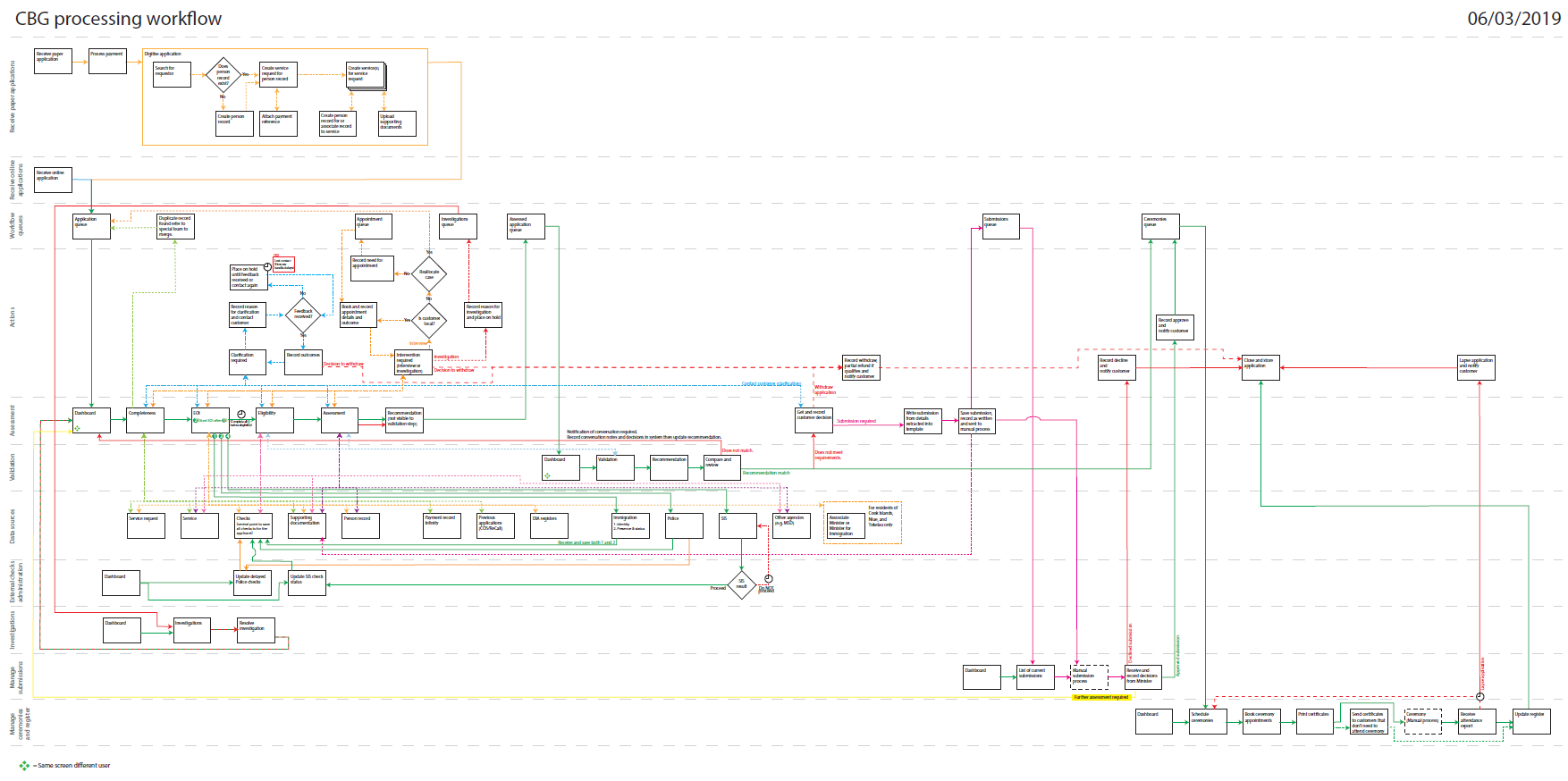
Drawing on the knowledge of the process, policy and architecture teams, I designed a new processing workflow which aligns with the programmes target operating model.
This involved many rounds of white-board style workshops and reviews by subject matter experts.
Using all staff, customer and process insight previously gathered, I came up with an end to end experience map.
These maps help all people involved in the development or implementation of a service understand the people and system impacts of a new way of working.
They become an important resource in communicating between teams and can help in spotting any issues or oversight.
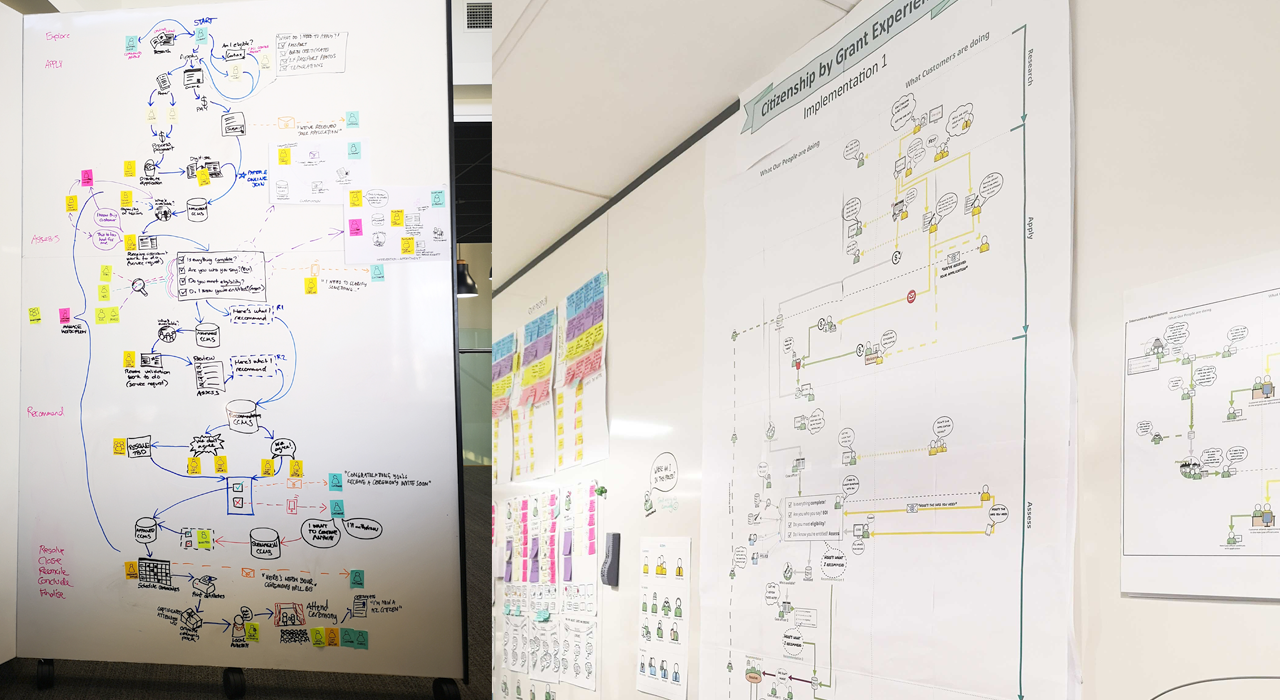
Working on this in the open and having the experience map up where everyone could see and engage with it was invaluable for the wider programme's buy-in and understanding of what we were trying to achieve.
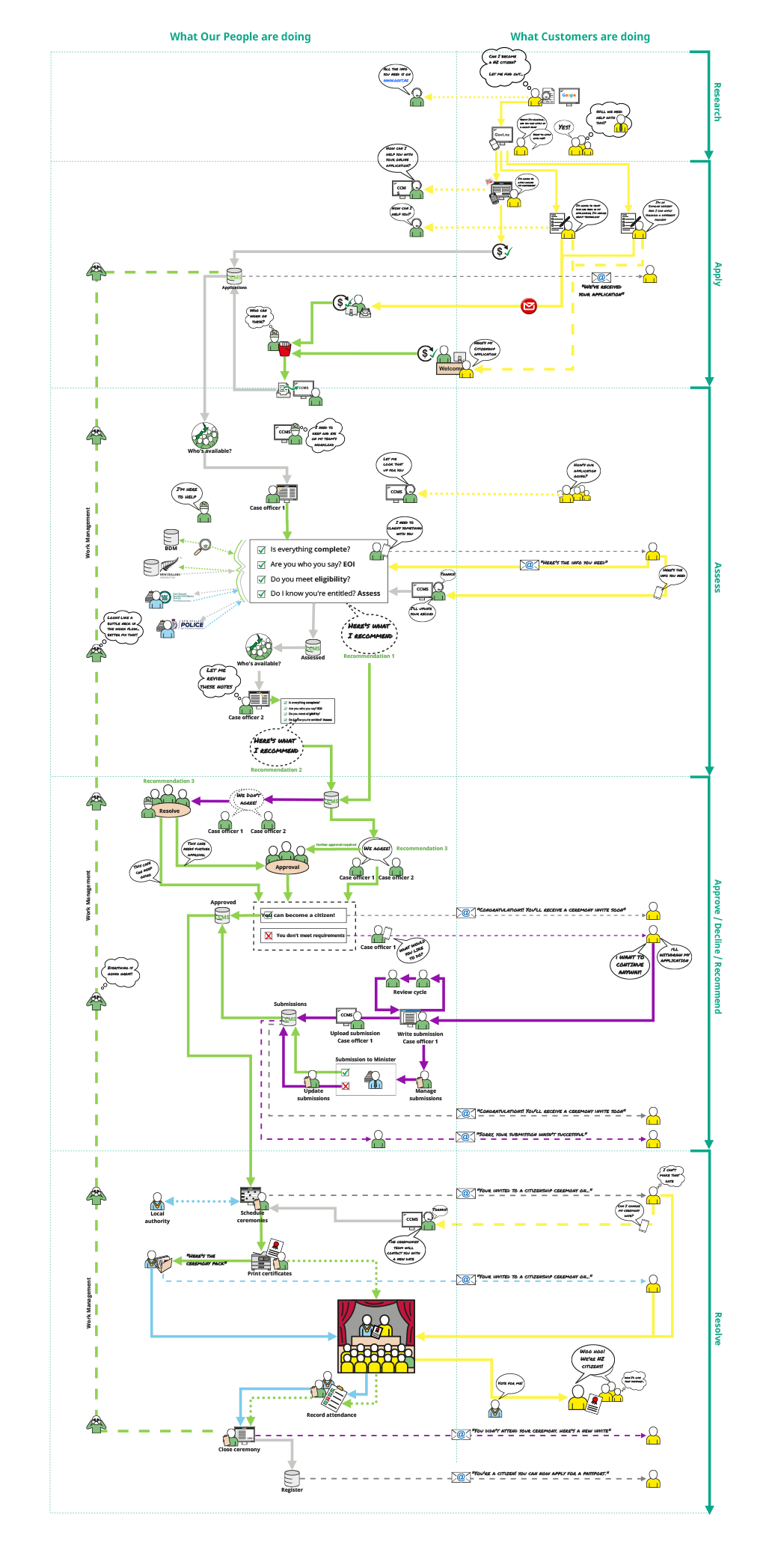
Citizenship by grant experience map
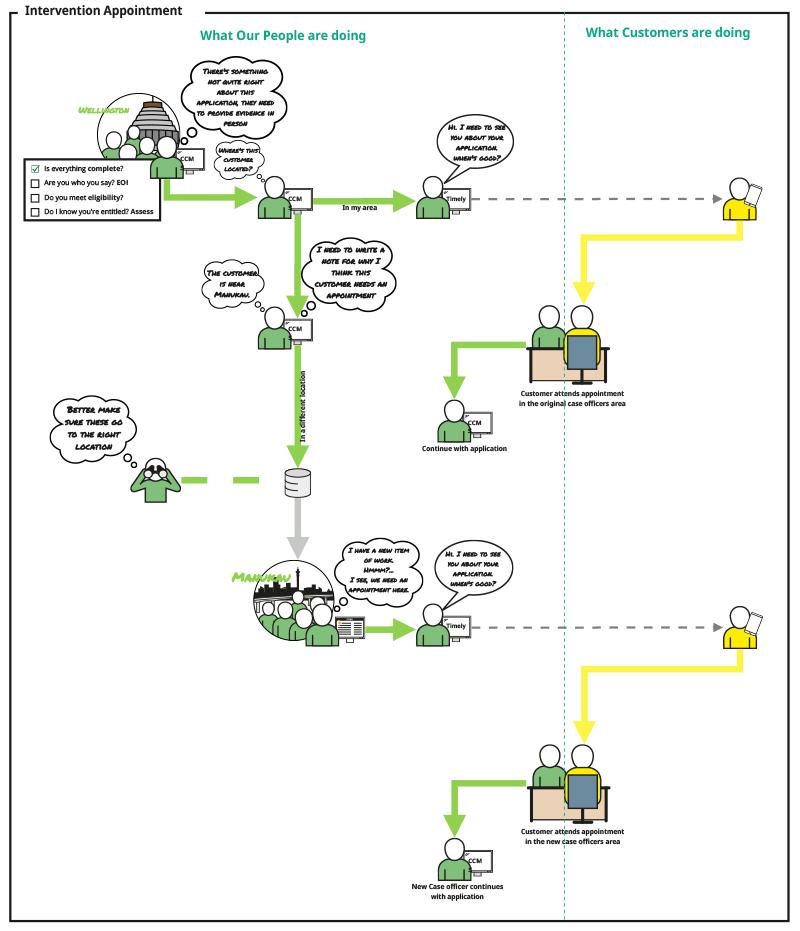
Detail of appointment intervention
Design phase 2
UX design and development are in the delivery phase of the programme which uses agile methodologies.
Because of this I defined the process that the teams followed to ensure the right UI, interactions, and experience for our users was delivered.
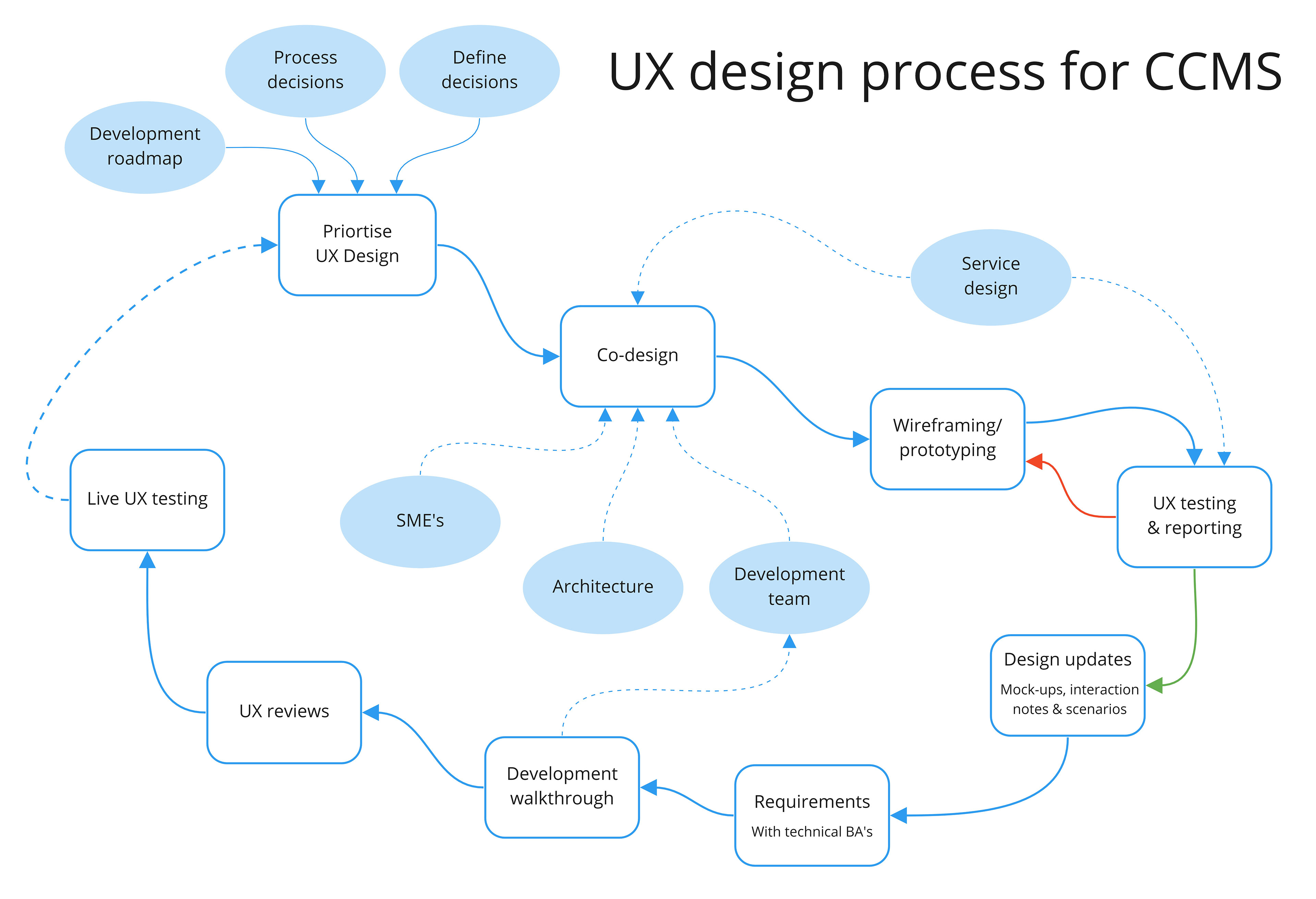
Co-design sessions were run with subject matter experts; these are normally knowledgeable members of the user group we’re designing for, or process or policy experts. I also included architecture and development team members for a technical perspective as we were designing for an established system.
Depending on the complexity of what we’re designing draft wireframe or prototype were made and tested to ensure the new streamlined functions were fit for purpose.
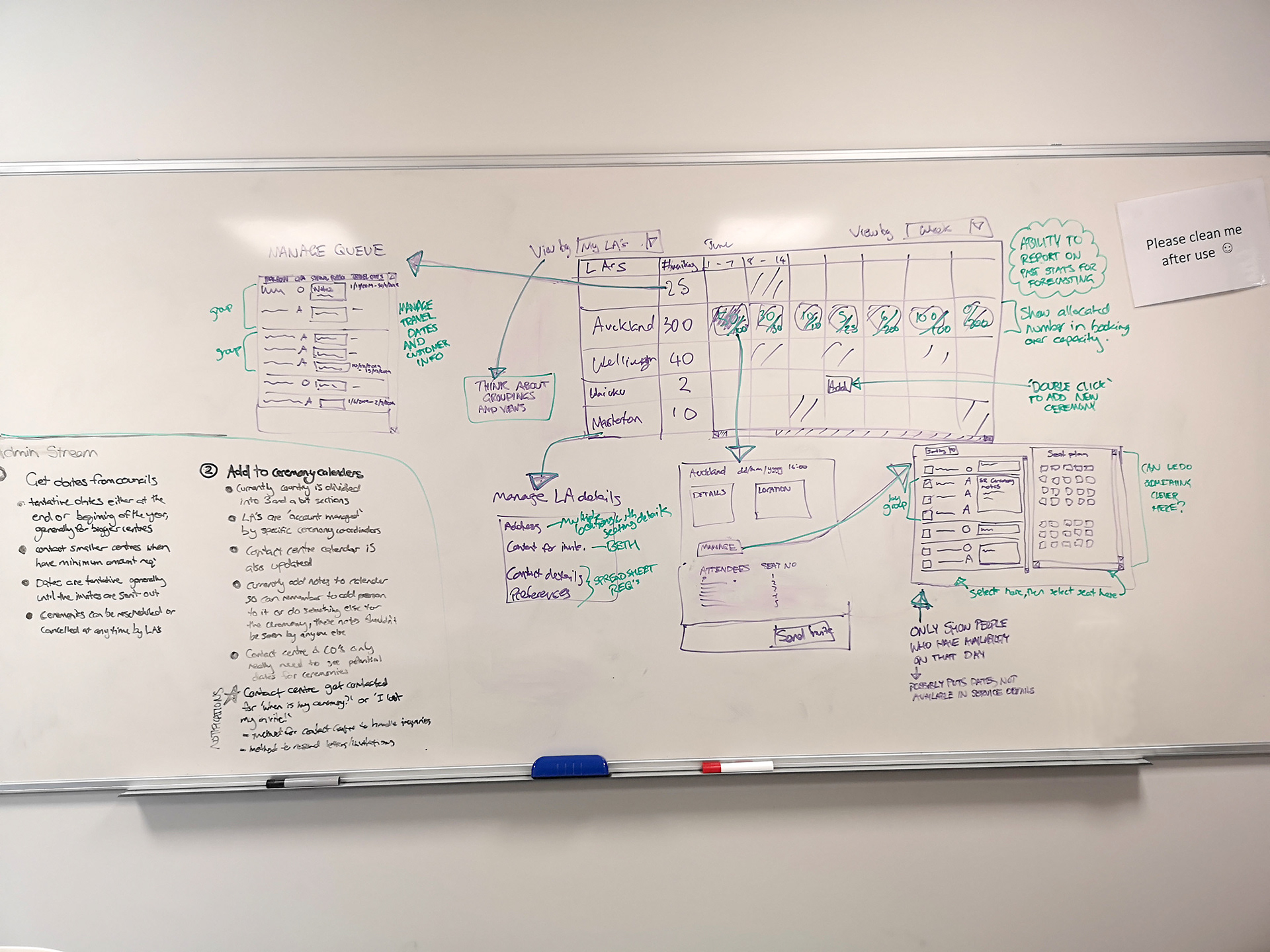
Whiteboard from one of the many sessions
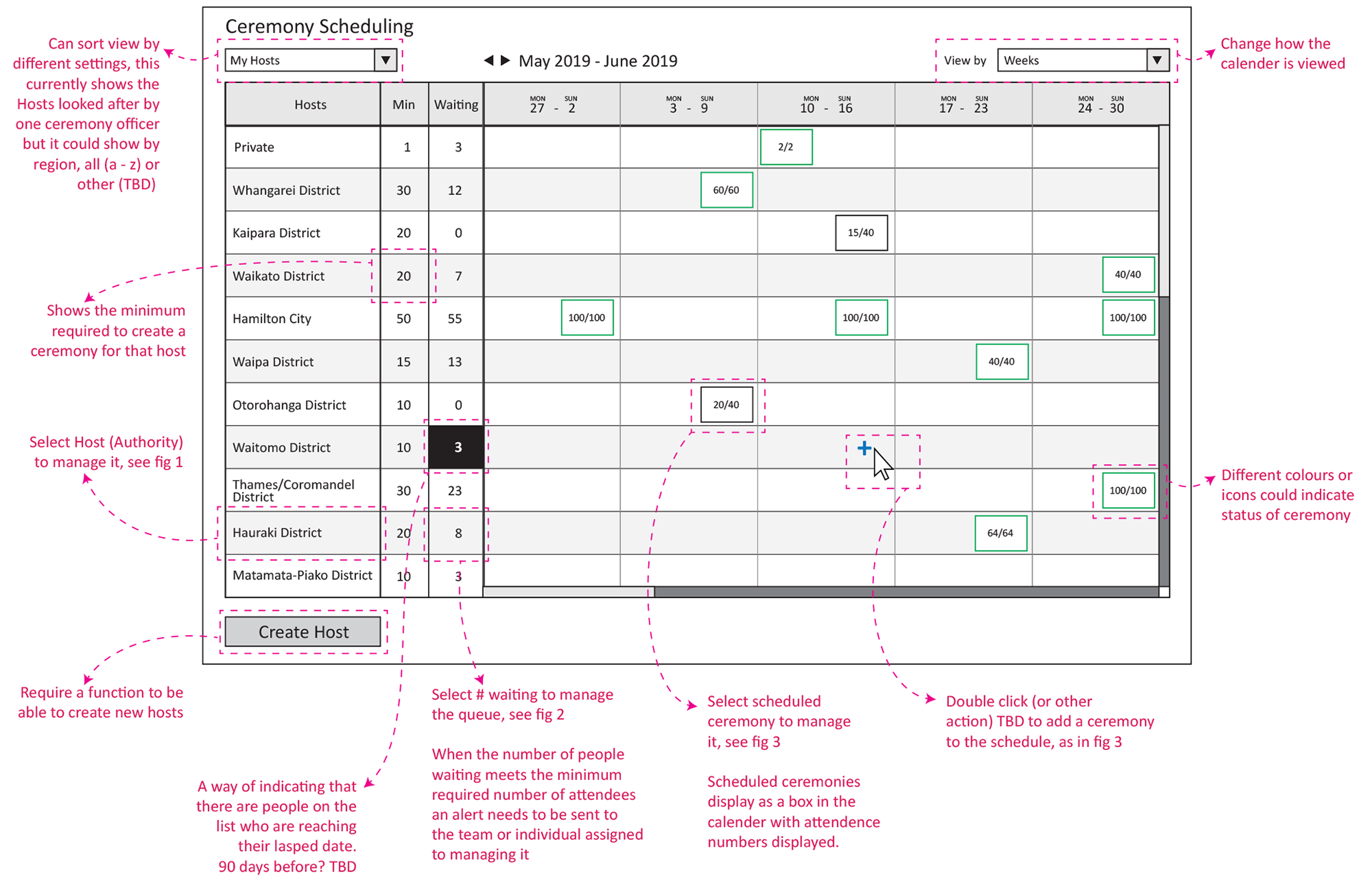
Example of draft wireframe
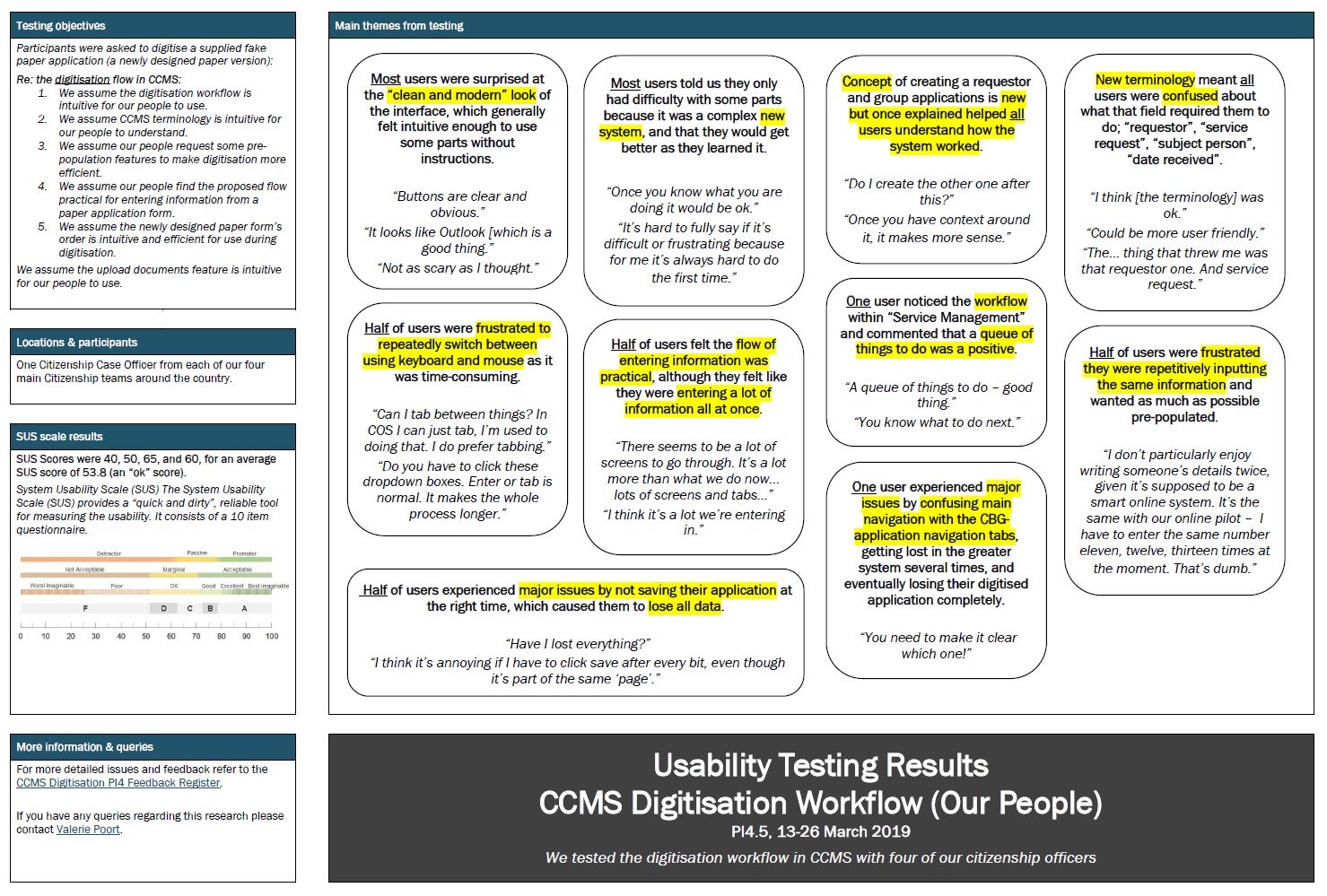
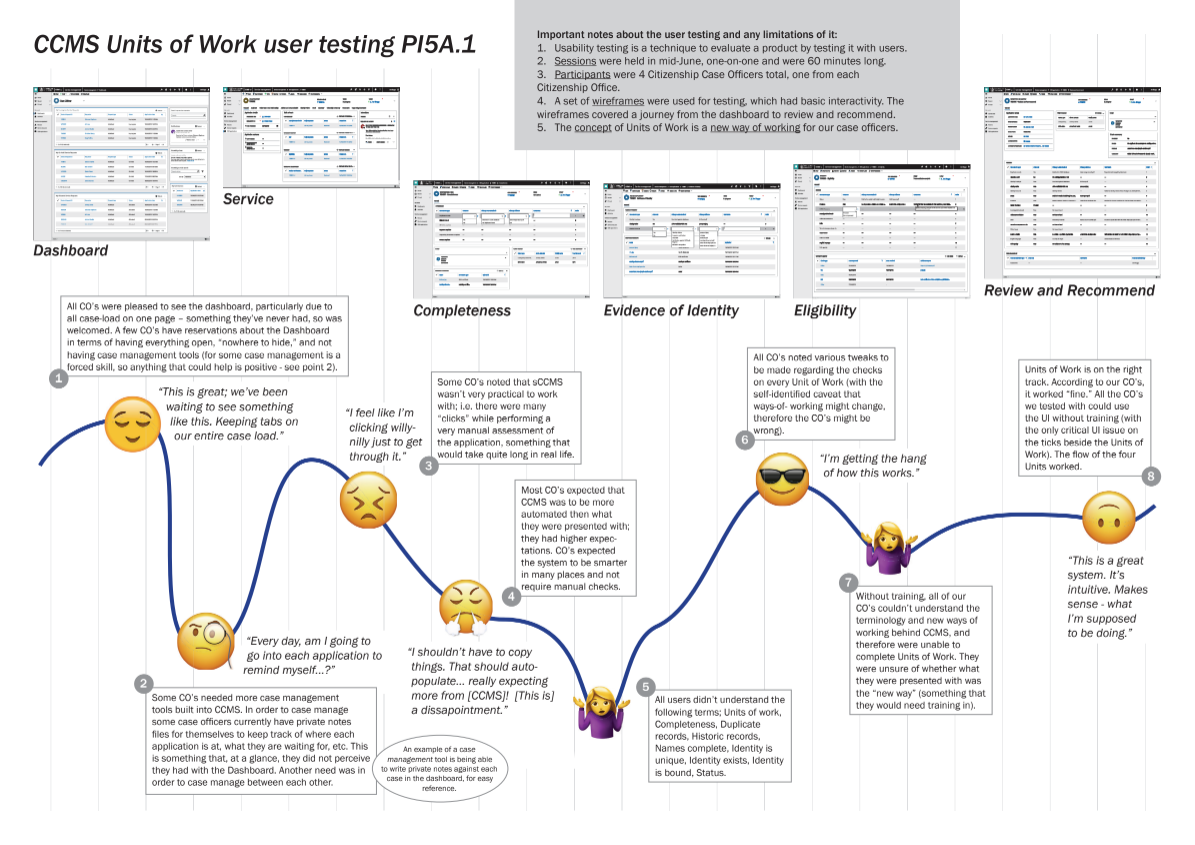
UX testing on the programme was normally conducted by the service design team but I was involved in the sessions whenever possible to get a first-hand perspective. For the new processing system we conducted usability testing in one-on-one sessions. My role was to write or input into test plans or scripts, review testing reports, and in collaboration with service design hold synthesis sessions with development teams and product owners.
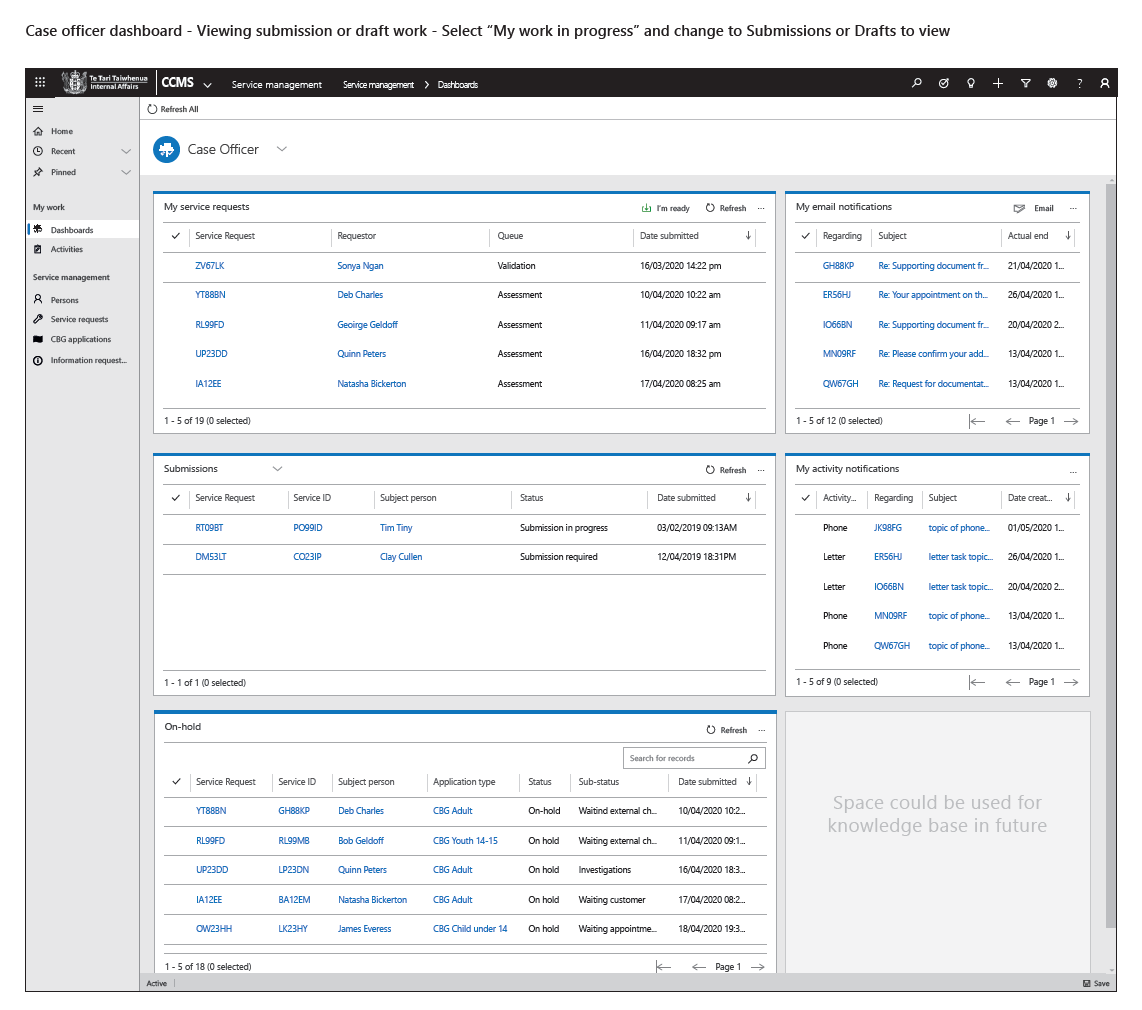
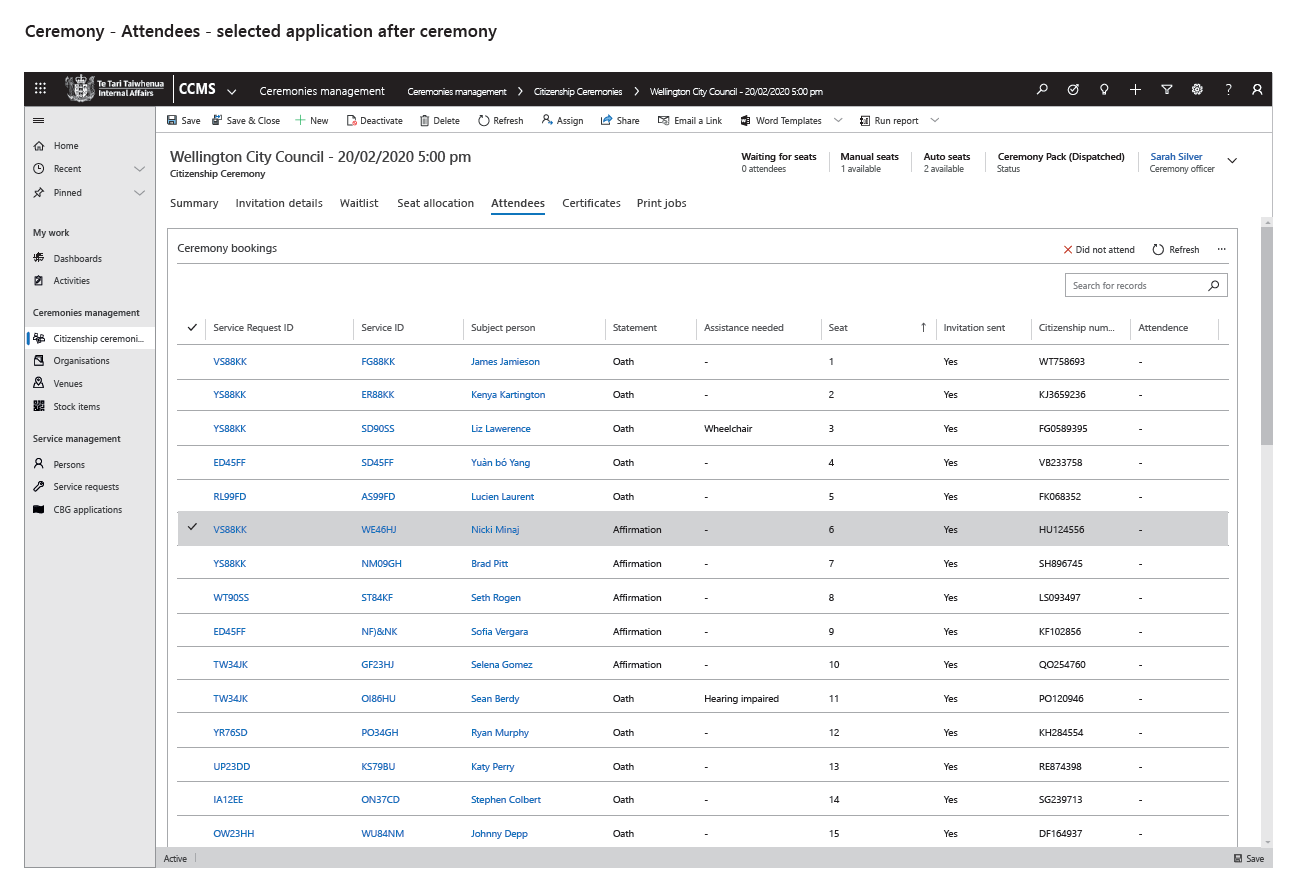
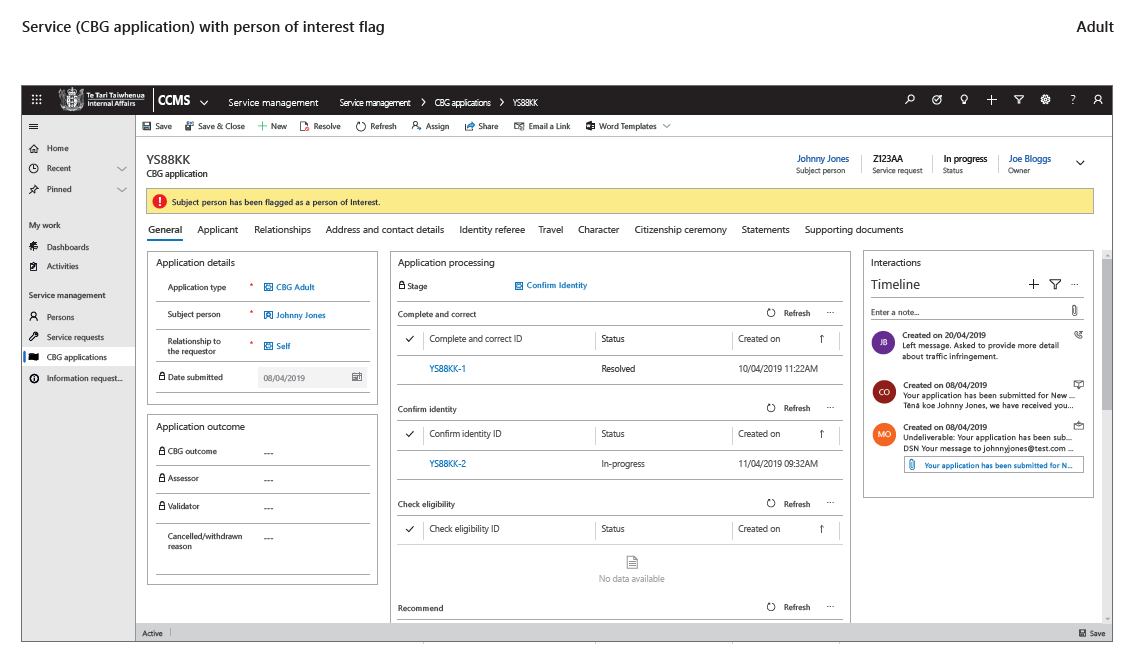
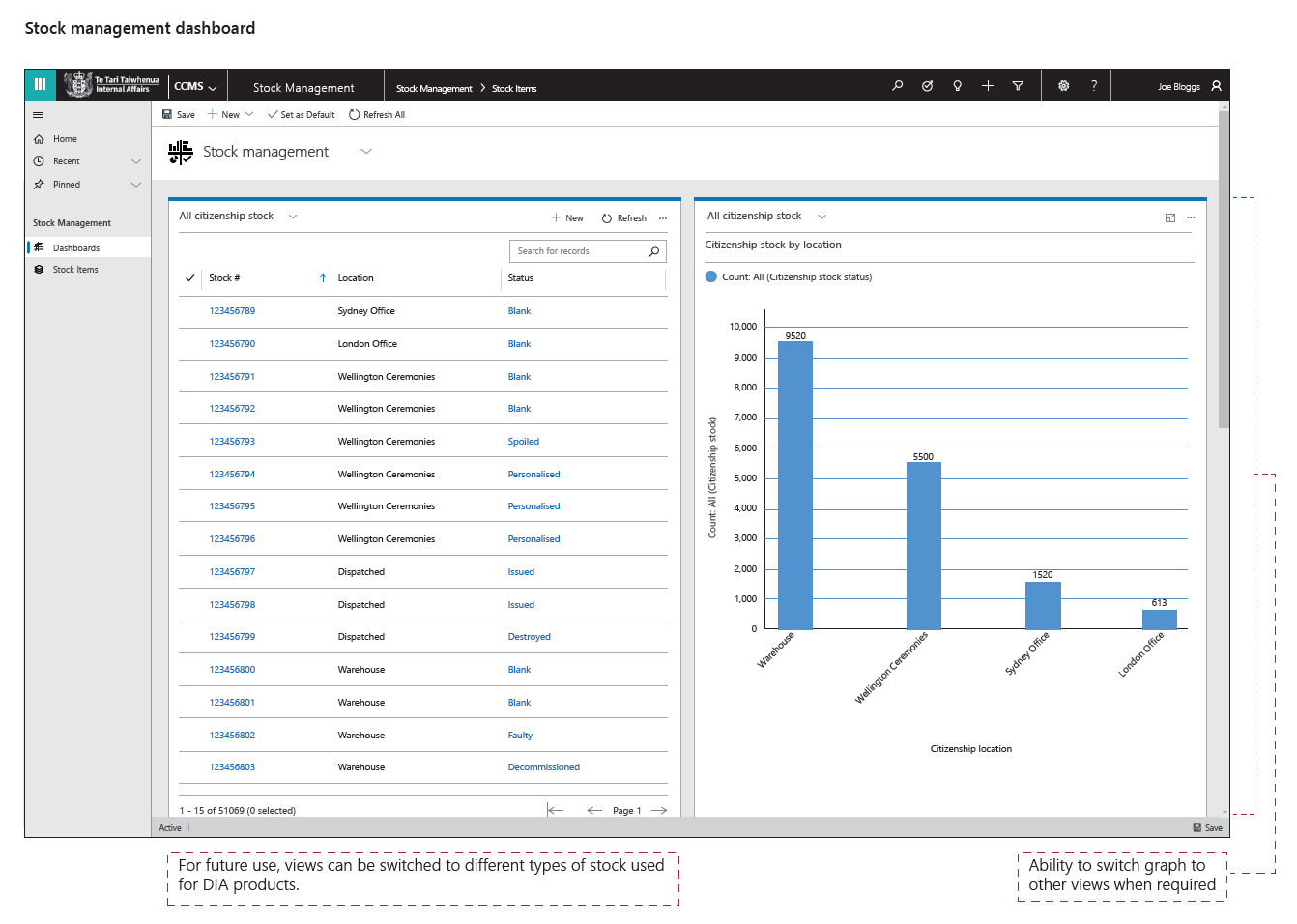
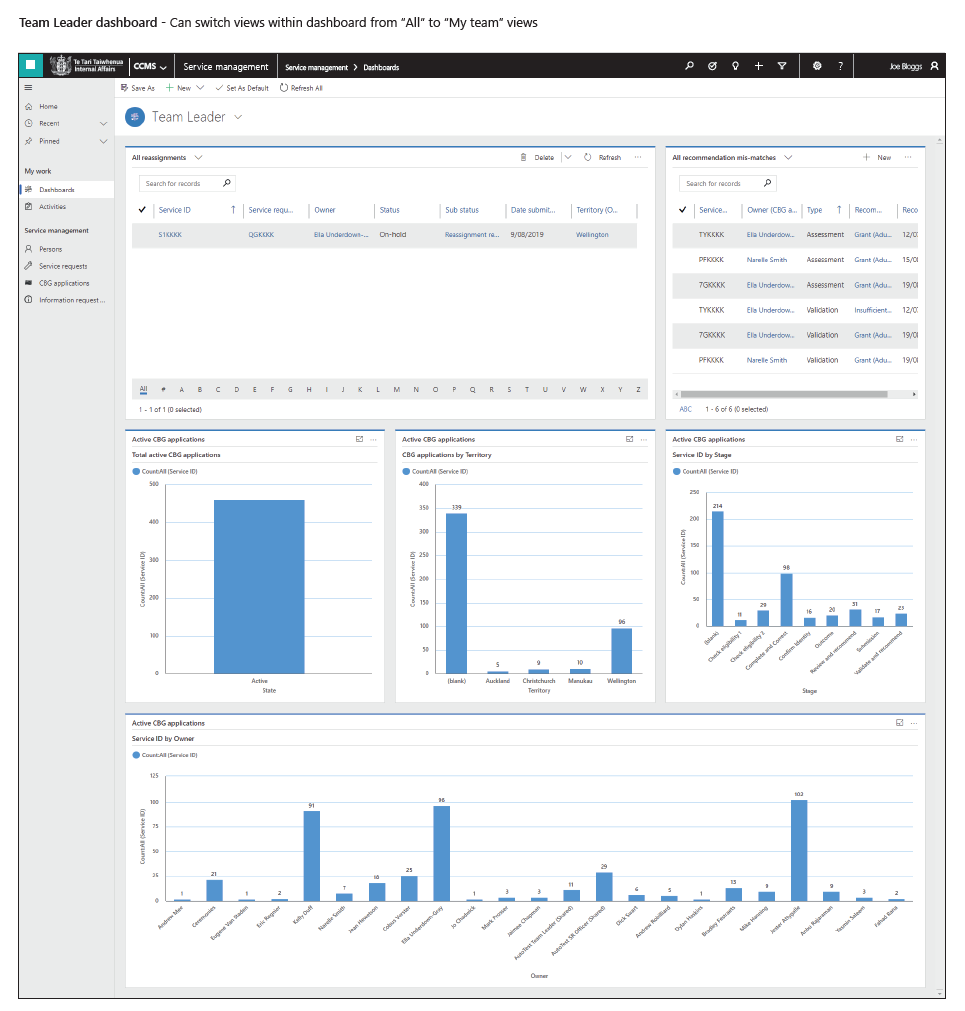
After testing the concepts and refinement had brought them to the desired outcome. I created the designs for development, these included notes or scenarios on interactions within the system. These "final" designs reflect the out of the box style of Dynamics 365 that DIA had elected to utilise. The scenarios were vital in demonstrating to the development team what is expected from a users point of view, but also necessary for citizenship system development as they need to support policy and legislation.
Development and finalisation
During the development phase, requirement stories were detailed with development team and technical business analysts to be brought into development sprints.
The development team was walked through the design to be implemented and any issues were addressed.
When development was mostly complete the UX review took place. This is to ensure alignment to design and fix any issues before system acceptance testing and usability testing with staff on a built system.
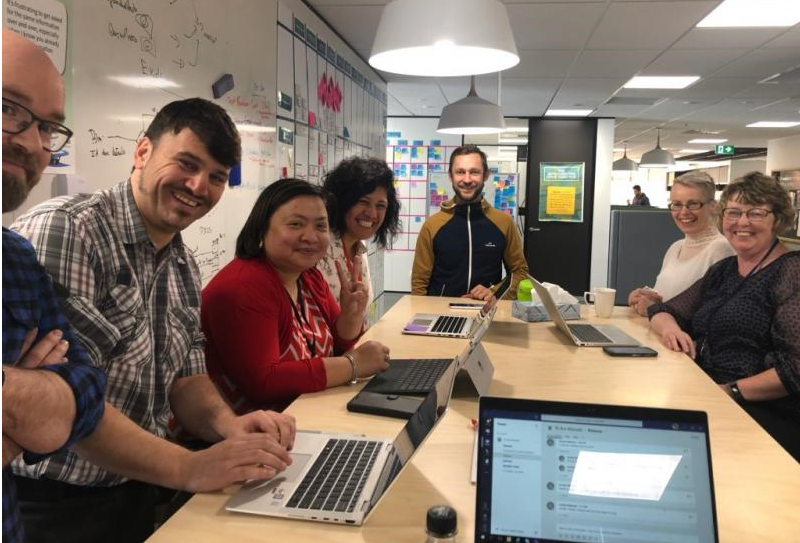
A walkthrough with the team
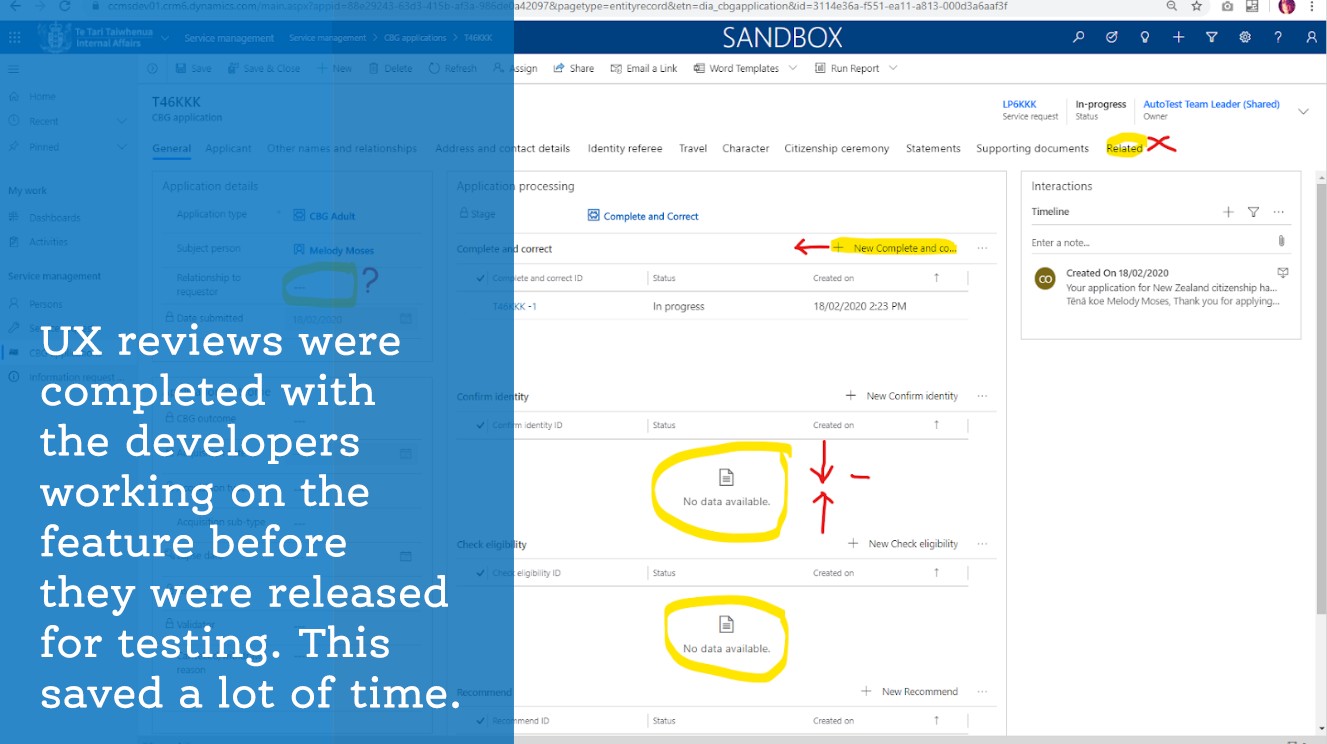
Screenshot notes from a UX review
The final stage was Live UX testing with our end users. This was done in form of one-on-one user-testing or large-scale walk-through and feedback sessions conducted in conjunction with the business readiness team for system user teams, their team leads and senior or executive staff.
Results from the final stage of testing got fed into the backlog for prioritisation.
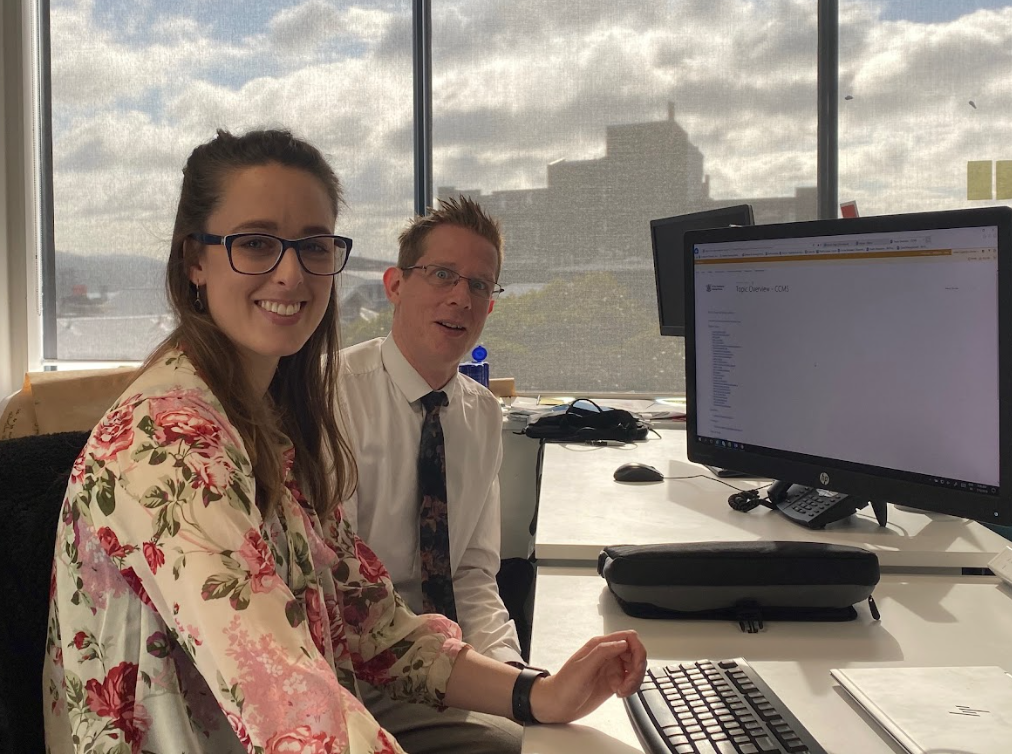
One on one testing with SME's
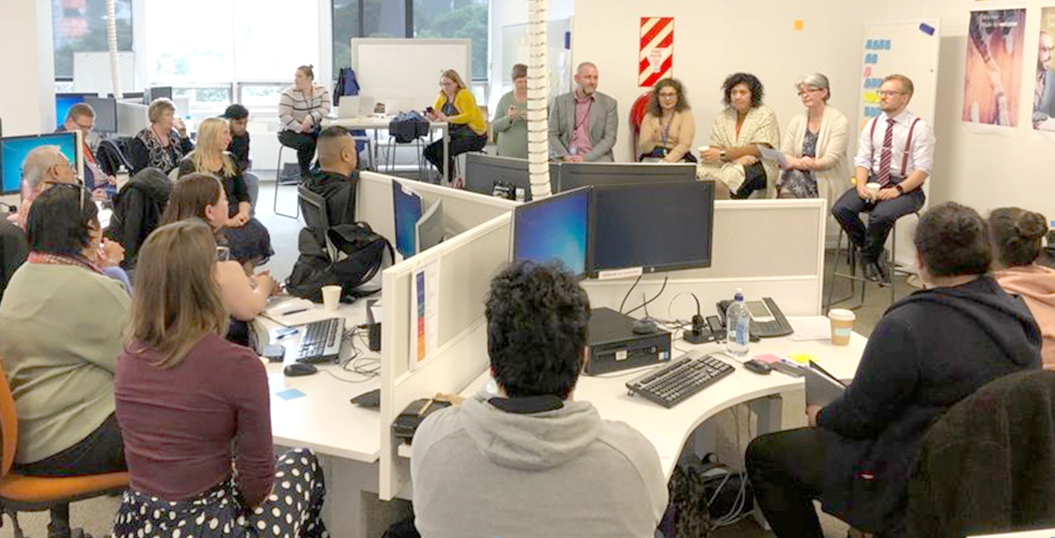
Large scale walk through with management and staff
Outcomes and lessons
Creating an end-to-end experience for a complex system like citizenship application processing was certainly a big, important and tricky project. I learnt we needed to respect and understand the history of the existing experience, skills and knowledge of our users. But then improve the process that citizenship applications went through, and move the process to a whole new system that is designed to make the processing easier for the users and more consistent.
It was important to bring our users along on the design journey, to let them know that we hear their concerns and needs. To help them understand what a minimum viable product is and that it was just the first step on a long journey of improving the ways of working at DIA. It may not have all the bells, whistles, and automation they expected but that it’s a good thing as we learn from what is built and improve it as we go.
The new system also needed to be scalable for when DIA’s full catalogue of products and services will be processed and managed in it. It needed to have reusable features and processes, and the ability to integrate automation and API’s in the future so DIA can improve processing time, interaction, and user satisfaction for both staff and customers.
As a team we achieved that goal since the system launch most applications are submitted and worked on and approved in the new system. The system still had a long path for improvement but it was a stable usable base to start from.